

Working from home is no longer unusual, but having a proper space to do it still is.
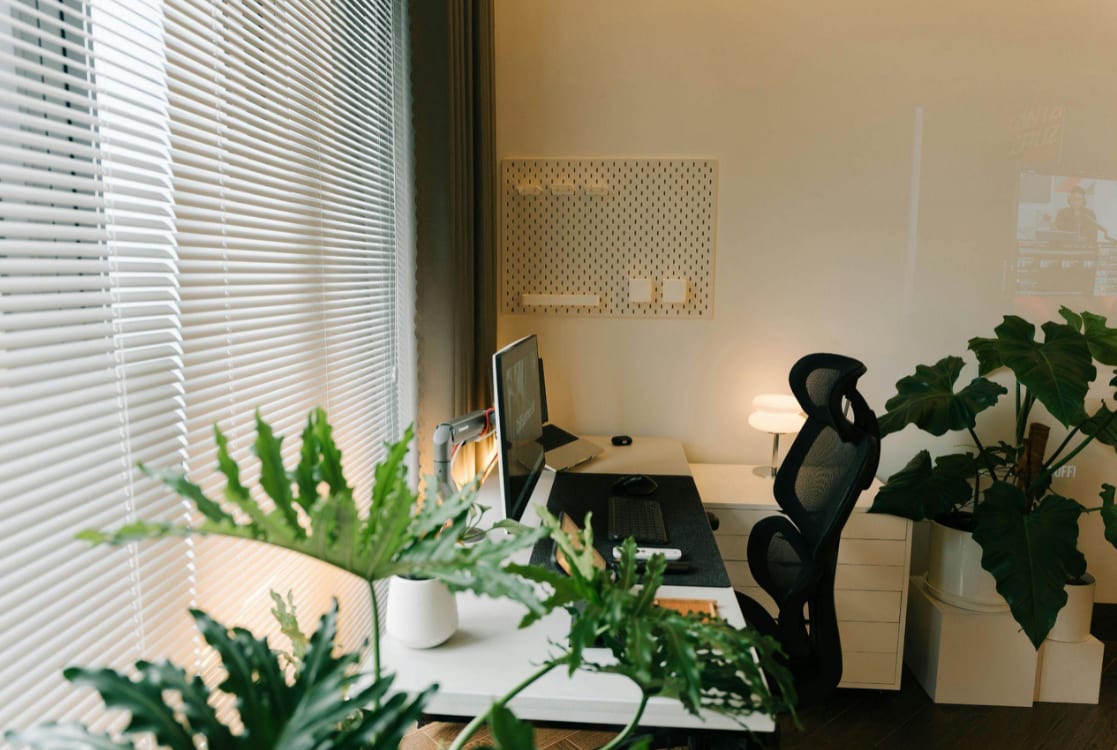
For many people, there is no spare room waiting to be turned into an office. Instead, work happens in shared spaces. A corner of the living room, a section of the bedroom, or even a small gap between furniture becomes the place where the day unfolds.
At first, this can feel temporary or improvised. Over time, it can start to affect your focus, comfort, and even your posture.
The reality is that you do not need a dedicated study to work well from home. What you need is a setup that fits your space, supports your body, and helps you stay organised. With a few practical decisions, even a small area can become a reliable and comfortable place to work.
Finding the Right Space
Look for underused areas
Instead of searching for a full room, focus on spaces that are already there but not fully used.
This might include:
- A quiet corner of the living room
- Space beside a window in the bedroom
- An unused alcove or wall
- The end of a dining table that stays relatively clear
The goal is not size. It is consistency. Using the same spot each day helps your brain associate that area with work, which improves concentration over time.
Create a clear boundary
When your workspace is part of a shared room, it helps to define it visually.
Simple changes can make a difference:
- Position your desk so you face a wall rather than distractions
- Use a desk lamp to create a focused area
- Keep work items contained within that space
This small separation helps you switch off at the end of the day, which is often one of the biggest challenges when working from home.
Choosing Compact and Practical Furniture
Select a desk that fits your space
In smaller homes, the wrong desk can take over the entire room.
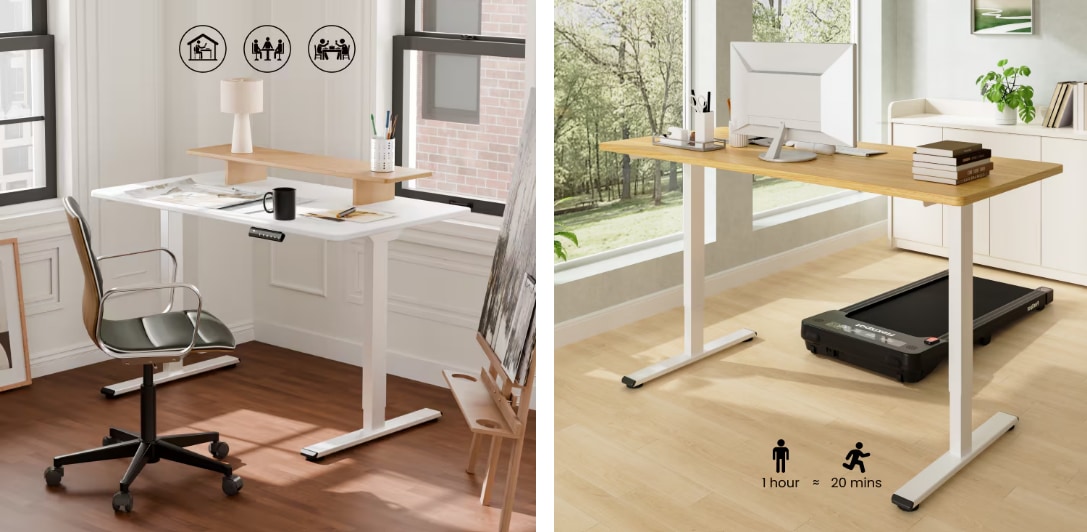
A compact option such as the Standing Desk E1 Pro is designed for this kind of setup. With its 120 x 60 cm tabletop, it provides enough space for a laptop, monitor, and essentials without overwhelming the room. --altImgStart--{"link":"https://s3.springbeetle.eu/prod-eu-s3/trantor/attachments/UK/E1Pro-20250606-banner-pc.png","alt":"Height Adjustable Desk with Dual-Motor Drive (E1 Series)"}--altImgEnd-- --shopstart--{"id":48071,"link":48071,"name":"Height Adjustable Desk with Dual-Motor Drive","shortName":"E1 Series","url":"//s3.springbeetle.eu/prod-eu-s3/trantor/attachments/UK/ET262-ZX-E1P-Mian.png","itemFootMarkType":"NONE","itemFootMarkInput":"Budget Hero"}--shopend--
More importantly, it is a height-adjustable desk. This means you can switch between sitting and standing throughout the day, which is particularly useful when your space limits movement.
Choose a chair that supports you
It is common to use whatever chair is nearby, but this often leads to discomfort after a few hours.
A proper ergonomic office chair supports your lower back and helps you maintain a natural posture. Even in a small space, this is one of the most important elements of your setup.
Keep storage simple
Large storage units can quickly make a space feel cramped.
Instead:
- Use wall shelves to save floor space
- Choose slim drawers that fit under your desk
- Store items vertically rather than spreading them out
A clean setup makes it easier to focus and prevents your workspace from blending into the rest of the room.
Organising Cables and Reducing Clutter
Keep cables under control
Cables are often what make a workspace feel untidy.
You can improve this by:
- Using clips to guide cables along the desk
- Keeping power strips hidden or under the desk
- Reducing unnecessary devices
A tidy setup is not just about appearance. It reduces distraction and helps you feel more in control of your environment.
Limit what stays on your desk
A crowded desk can make even a large space feel overwhelming.
Keep only what you use regularly in front of you. This might include your laptop, a notebook, and a light source. Everything else should be stored away.
Improving Lighting in Small Spaces
Make use of natural light
If possible, place your workspace near a window.
Natural light improves focus and reduces eye strain. The NHS highlights that good lighting is important for maintaining comfort and reducing fatigue during work.
Add focused lighting
When natural light is limited, a desk lamp can help.
Choose a soft, even light that does not create glare on your screen. Avoid harsh overhead lighting where possible.
Maintaining an Ergonomic Setup
Set your posture correctly
Even in a small space, your setup should support your body.
Aim for:
- Screen at eye level
- Feet flat on the floor
- Back supported by your chair
These small adjustments prevent strain building up over time.
Change position during the day
One of the advantages of a height adjustable desk is flexibility.
Switching between sitting and standing helps reduce pressure on your back and improves circulation. The World Health Organization recommends breaking up long periods of sitting to support overall health.
Move regularly
Even in limited space, movement matters.
Standing, stretching, or stepping away from your desk for a few minutes can improve energy levels and reduce stiffness.
Practical Guide: Making a Small Workspace Work
Keep your setup consistent
Using the same workspace each day helps build a routine and improves focus.
Avoid adding too much
It is easy to overcomplicate your setup with extra equipment.
In smaller spaces, simplicity works better. Focus on what you actually use.
Reset your space daily
At the end of the day, take a few minutes to tidy your workspace.
This helps maintain a clear boundary between work and home life, especially when both happen in the same room.
FAQ: Home Office Without a Dedicated Room
Can you work effectively without a home office?
Yes. Many people work successfully from shared spaces by using a consistent setup and keeping it organised.
What is the best desk for a small home office?
A compact desk with a practical surface is ideal. A height adjustable desk offers additional flexibility without taking up extra space.
How do I keep my workspace organised?
Use vertical storage, manage cables carefully, and keep only essential items on your desk.
Can you maintain good posture in a small workspace?
Yes. Proper chair support, correct screen height, and desk positioning are more important than the size of the space.
Conclusion
A dedicated office is helpful, but it is not essential.
What matters is how you use the space you have. With thoughtful choices, a small corner can become a workspace that supports your focus, comfort, and daily routine.
When your setup is practical and consistent, working from home becomes far more manageable, even without a separate room.


_20260602_cc9a7609.png)


