If you’ve been shopping around for a new electric standing desk to upgrade your home office, you’ve no doubt come across FlexiSpot’s new Comhar All-in-One Standing Desk. Its chic design and versatile features are already generating buzz. But, as one Reddit user notes, it resembles the Tresanti 47” Adjustable Desk sold by Costco. So how do you know which one is right for your situation?
We’ve rounded up the specs and features for both to help you make the best choice for your home office.
Snapshot Comparison Chart
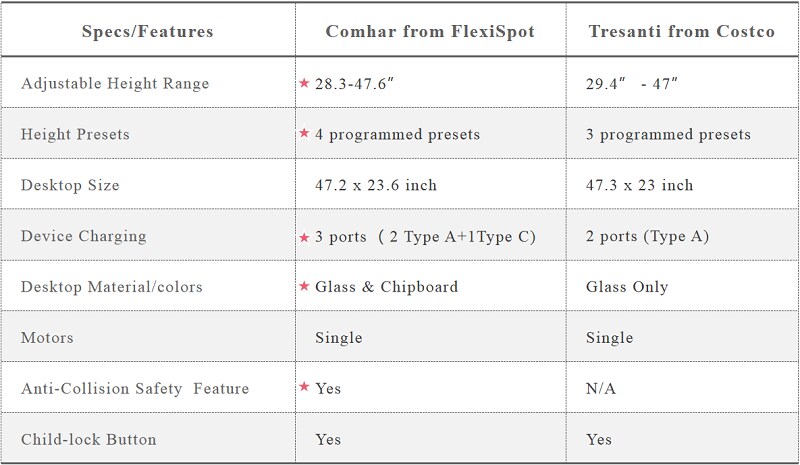
Our quick-glance comparison chart below itemizes the top 8 features shoppers look for when comparing electric standing desks with built-in storage. Comhar stands toe-to-toe with Tresanti when it comes to the motor and desktop size, but it offers more robust device charging, more desktop finishes, more height presets and an anti-collision safety feature. Keep reading, we’ll dive into each of these a little more below.
Wider Adjustable Height Range
With one of the broadest height-adjustable ranges available for standing desks with drawers, the Comhar is an ideal choice for kids and adults. Comhar’s lowest adjustment height of 28.3” is more than an inch lower than Tresanti so it accommodates kids and short adults better. For tall individuals, Comhar is also a better choice since it raises 0.6” higher than Tresanti to accommodate people up to 6-foot, 4 inches. For all height levels, Comhar’s whisper-quiet motor powerfully lifts the desk one inch per second for smooth and quick adjustments that take users from sitting to standing in less than 10 seconds.
Properly-Placed Control Panel
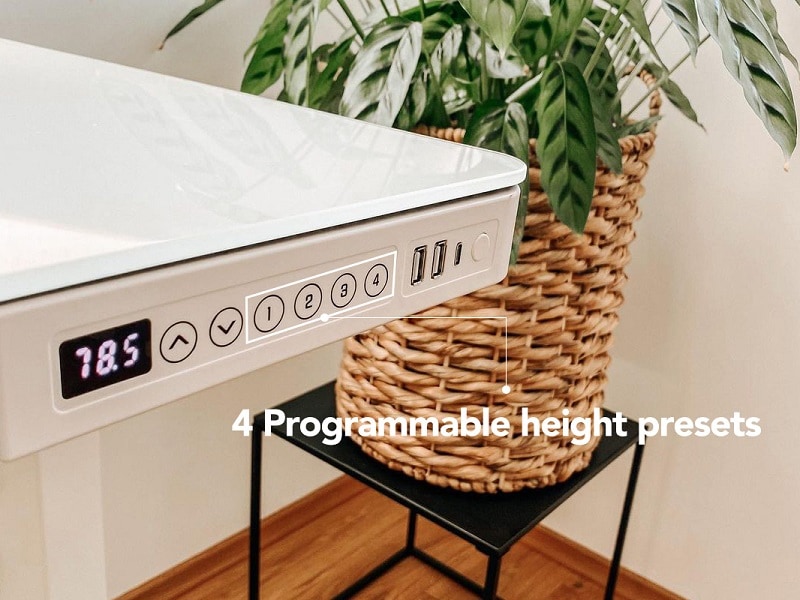
It’s easy to access the quick-touch control panel on the Comhar. It’s conveniently located on the right side of the desk where users can easily adjust the controls with a simple press. The Tresanti control panel, however, seems ill-placed because it’s situated on the desktop surface where it takes up valuable workspace. Both Tresanti and Comhar make it easy to pre-program your preferred height settings. But, you get more settings with Comhar. It’s a great choice for family use with up to 4 programmable height presets. Tresanti only has 3.
More Versatile Integrated Device Charging
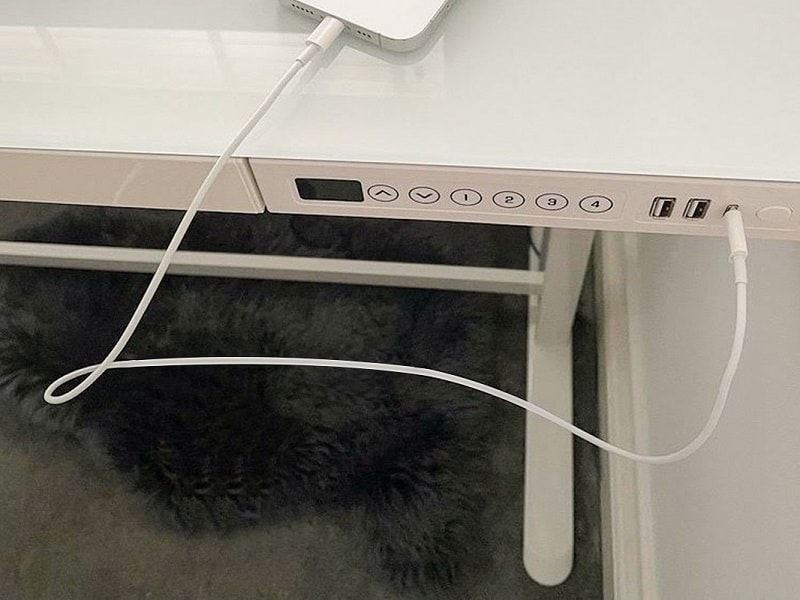
If keeping your devices powered throughout the day is a challenge in your current workspace, there’s no question that Comhar will deliver the most benefit in that regard. It charges up to 3 devices with 2 USB-A ports and 1 USB-C port while Tresanti offers 2 USB-A ports only.
Thoughtful Anti-Collision Safety Feature
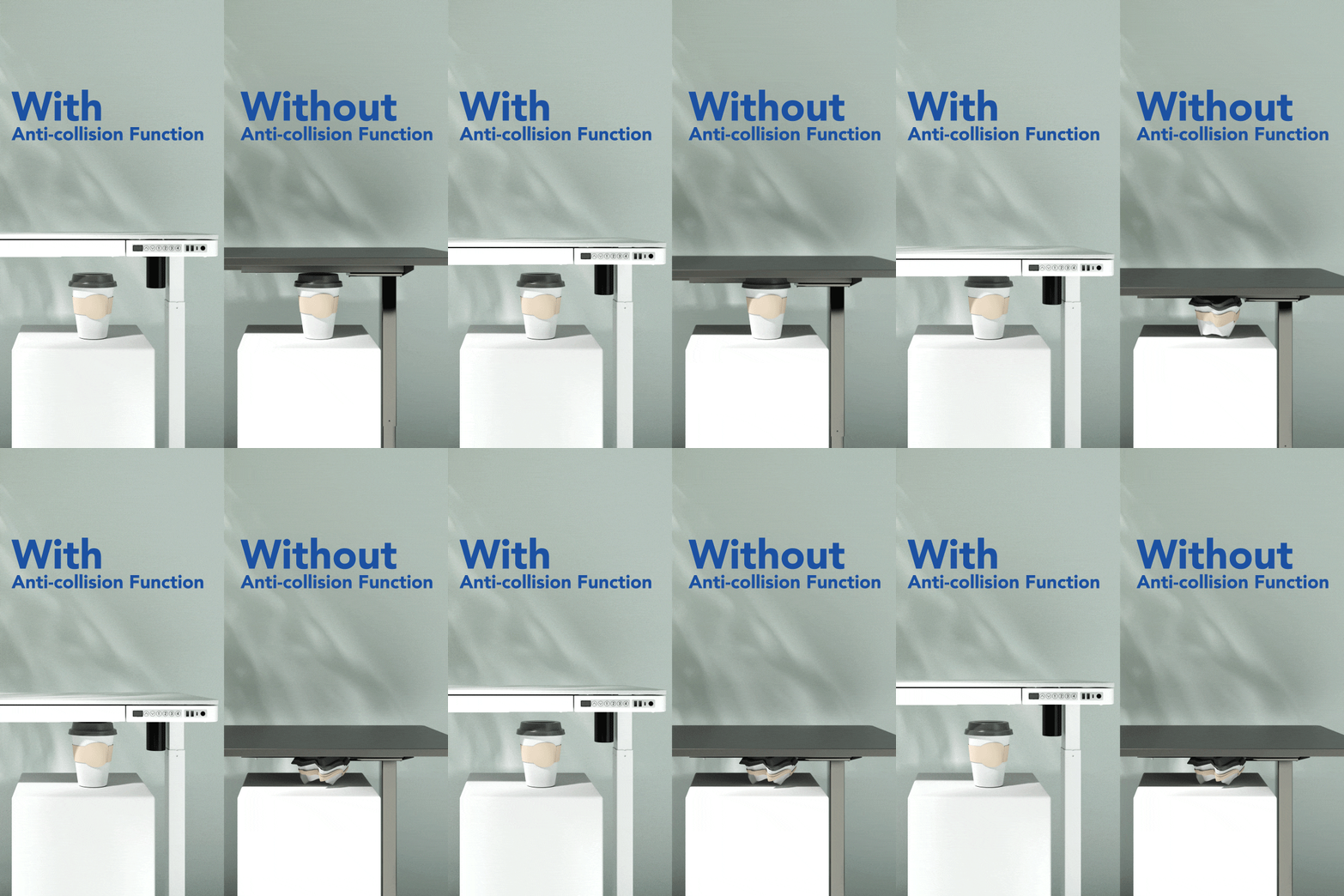
There’s no need to worry about damaging or crushing other objects when the Comhar standing desk is in motion. The anti-collision function auto reverses the desk’s direction whenever it senses an object in its path. Tresanti does not seem to offer this safety feature.
Worth in value
Although the price of Comhar is a bit higher than Tresanti, Comhar definitely packs in more features for the price. Best of all, the quality and comprehensive function is second to none in the standing desk market.
Additional Benefits about Comhar
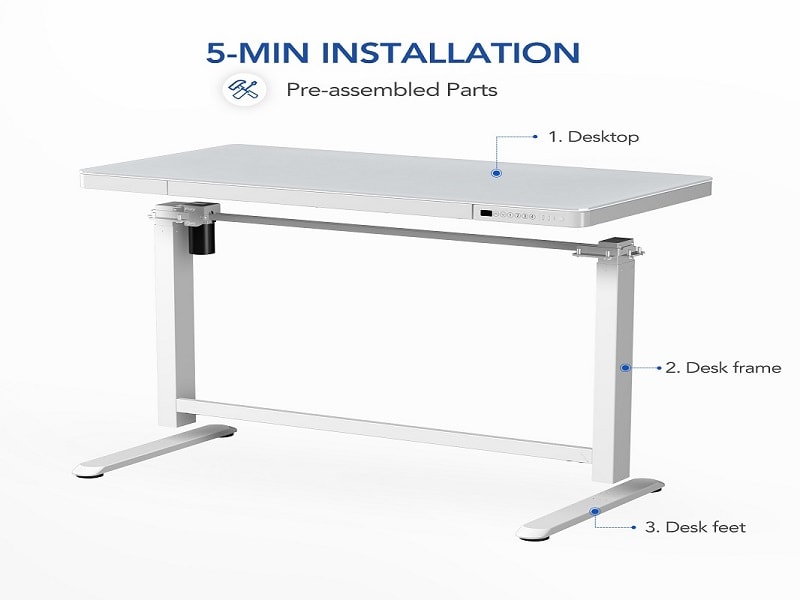
Why Choose the Comhar All-in-One Standing Desk?
We know we covered a lot of features across these 2 brands in our quest to help you find the perfect standing desk with built-in storage and device charging. So, to summarize, here are all the ways the Comhar electric standing desk stacks up impressively to the competition.
-
Compact, space-saving design that’s suitable for household use
-
Broad adjustable height range that accommodates kids and adults
-
Advanced control panel with 4 height memory settings
-
3 integrated USB charging ports (only model with both USB-A and USB-C)
-
Anti-collision mechanism to prevent unexpected
Buttom line
In a nutshell, Comhar is definitely an optimal choice in view of all these highlights. If you are looking for a legit standing desk for your home office, Comhar gives you the most bang for your buck, allowing you to focus on finding the perfect balance of sitting and standing throughout the day.


