

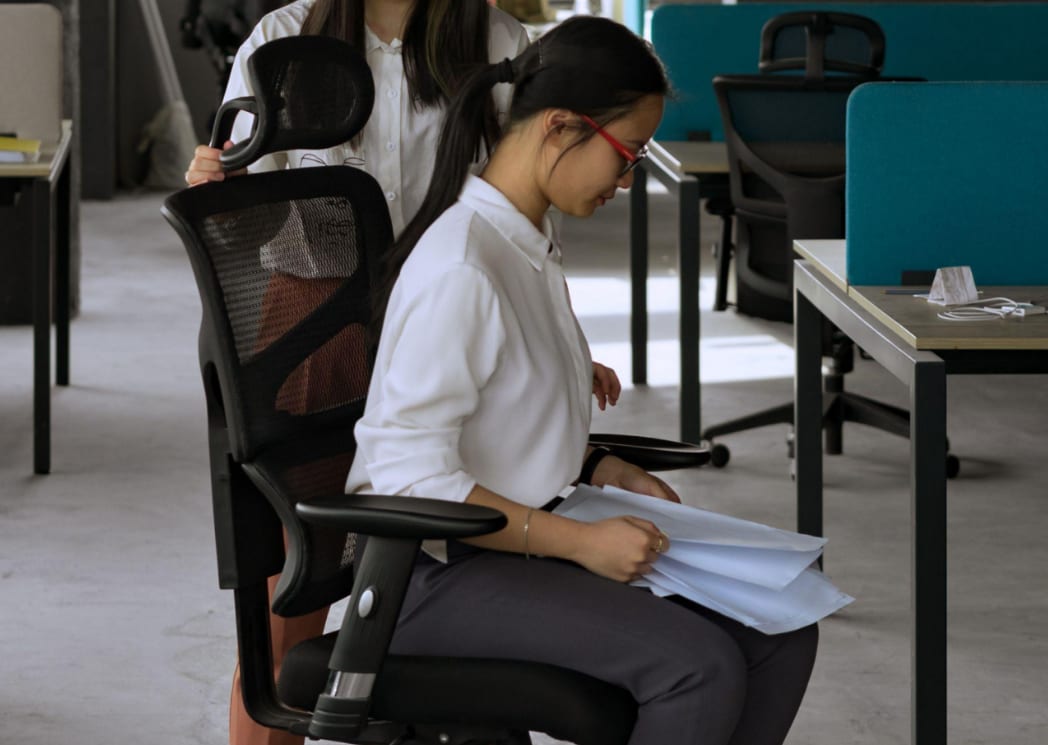
An office chair can offer excellent cushioning and back support, but it will still feel uncomfortable if the seat height is wrong. Sitting too high may leave your feet unsupported, while sitting too low can place additional pressure around the hips, knees, and lower back.
Correct seat height creates a stable foundation for the rest of your workstation. It helps align your legs, arms, desk, and screen so that you do not need to hunch, reach, or hold your shoulders in an awkward position.
There is no single measurement that suits everyone. Leg length, desk height, footwear, and individual body proportions all affect the ideal setting. The most reliable approach is to adjust the chair around your body rather than choosing a height based only on your overall height.
Why Correct Seat Height Matters
Chair height affects much more than the position of your legs.
It creates a stable sitting position
When both feet are properly supported, your body has a more stable base. This makes it easier to sit back against the chair rather than sliding forward or leaning heavily on the desk.
The Health and Safety Executive’s guidance on good workstation posture recommends adjusting the chair so the keyboard sits just below elbow height, with enough room for the legs beneath the desk.
It reduces unnecessary pressure
A chair that is too high may place pressure on the underside of the thighs and leave the feet hanging. A chair that is too low can lift the knees excessively and reduce support beneath the thighs.
Neither position is likely to feel comfortable for a full working day. A balanced height distributes body weight more evenly across the seat and feet.
It supports the rest of the workstation
Chair height influences elbow position, keyboard access, and screen alignment. Adjusting only the monitor or desk without first setting the chair often creates a chain of small compromises elsewhere.
--altImgStart--{"link":"https://s3.springbeetle.eu/prod-eu-s3/commodity/item/pexels-mikhail-nilov-8101999_20260702_s8sBXHRV.jpg"}--altImgEnd--
Use the 90-Degree Rule as a Starting Point
The commonly recommended 90-degree rule provides a useful starting point, although it should not be treated as a rigid requirement.
Check your knees and hips
Sit fully back in the chair with your lower back supported. Your knees should be approximately level with your hips, or slightly lower, with a comfortable bend close to 90 degrees.
Your thighs should feel supported without the seat edge pressing firmly into the backs of your knees. Ideally, there should be a small gap between the seat edge and the back of each knee.
Cambridge University Hospitals advises that the feet should rest flat on the floor, with the knees and bottom at a similar height.
Keep both feet supported
Your feet should rest flat on the floor rather than balancing on the toes or hanging unsupported.
If the chair must be raised to match a fixed desk, use a stable footrest. A footrest is preferable to lowering the chair so far that the elbows sit below the desk surface.
Avoid resting the feet on chair wheels, storage boxes, or other unstable objects. Proper support should remain consistent while you work.
Align Your Elbows With the Desk
Once the legs are supported, check how the chair relates to the desk.
Keep elbows near keyboard height
Relax your shoulders and allow your upper arms to hang naturally beside your body. Your elbows should form a comfortable angle of roughly 90 to 110 degrees when your hands are on the keyboard.
The keyboard and mouse should sit around elbow height or slightly below it. This reduces the need to raise the shoulders or bend the wrists sharply.
The NHS desk ergonomics guidance from Chelsea and Westminster Hospital recommends keeping the feet flat and ensuring the back of the chair supports the lumbar area.
Adjust the desk when possible
With a fixed-height desk, you may have to raise the chair to achieve comfortable arm alignment and then add a footrest.
A height-adjustable desk offers greater flexibility because the work surface can be brought towards the user instead of forcing the user to adapt to the furniture.
Armrests should support the arms lightly without pushing the shoulders upwards or preventing the chair from moving close enough to the desk.
Position the Screen After Adjusting the Chair
The screen should be adjusted only after the chair and desk relationship feels comfortable.
Keep the screen directly in front
Position the monitor centrally so you do not need to rotate your neck repeatedly. The top of the visible screen should generally sit around eye level or slightly below, depending on screen size and personal comfort.
People who wear bifocal or varifocal lenses may prefer a slightly lower monitor position to avoid tilting the head backwards.
Maintain a comfortable viewing distance
Place the screen far enough away that the text can be read without leaning forward. For many people, approximately an arm’s length is a reasonable starting point.
If you repeatedly move your head towards the screen, consider increasing the text size before changing your sitting posture.
--altImgStart--{"link":"https://s3.springbeetle.eu/prod-eu-s3/commodity/item/pexels-pavel-danilyuk-8112108_20260702_pzgLh2vz.jpg"}--altImgEnd--
Chair Height Guidance for Different Heights
Overall body height can provide a rough starting point, but it cannot determine the exact setting because people of the same height may have different leg and torso proportions.
Shorter users
People below approximately 165 cm may find that standard office desks force the chair higher than their feet comfortably allow.
Raise the chair until the elbows align with the work surface, then use a footrest if the feet no longer reach the floor. A seat with a lower minimum height may provide a better fit.
Average-height users
People between approximately 165 and 180 cm can often achieve a comfortable position within the middle adjustment range of a standard office chair.
Begin with the feet flat, knees near hip height, and elbows aligned with the keyboard. Fine-tune the setting rather than relying on a fixed numerical measurement.
Taller users
People above approximately 180 cm may need a chair with a higher maximum seat setting, greater seat depth, and a taller backrest.
If the knees rise above the hips even at the chair’s maximum height, the chair may be too low. Taller users should also check that the seat supports the thighs without pressing into the backs of the knees.
Common Chair-Height Mistakes
Even a small adjustment can solve discomfort caused by an unsuitable setup.
Setting the chair around the desk alone
Raising the chair to reach a high desk without supporting the feet creates instability. Add a footrest or adjust the desk rather than accepting hanging feet.
Sitting on the front edge
Perching forward removes much of the support offered by the backrest. Sit fully back and bring the chair closer to the desk instead.
Treating posture as something fixed
There is no single position that must be held perfectly throughout the day. The NHS notes that posture should not be viewed as one rigid, universally correct position.
Even with the correct chair height, change position regularly, stand up, and take short movement breaks.
Final Thoughts
The perfect chair height allows your feet to remain supported, your knees and hips to sit at a comfortable angle, and your elbows to align naturally with the desk. Once this foundation is correct, screen position and back support become much easier to adjust.
Use the 90-degree rule as a practical starting point rather than an inflexible target. Your body proportions, desk, and daily tasks should guide the final setting.
Most importantly, do not expect one posture to remain comfortable all day. Adjust your position, use the backrest, and introduce regular movement to create a healthier and more comfortable working routine.


_20260602_cc9a7609.png)


